
Mini Profiler
StableFind what's eating your FPS — lightweight timing sections and budget tracking
by Probably Playable — v1.0.0
Description
The problem
Your game stutters but you don't know why. Is it physics? Rendering? AI? The browser devtools show total frame time but not which system is the bottleneck. Your AI adds console.time() everywhere and the output is unreadable.
The solution
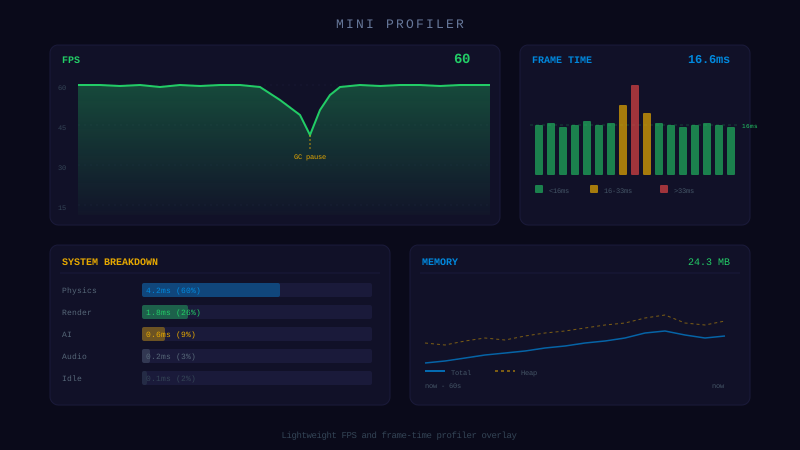
Wrap each system in begin()/end(). The profiler tracks rolling averages, shows percentage of frame budget used, and outputs a formatted text table. Render it however you want.
- → begin/end(name) — time any named section
- → set(name, value) — track entity counts
- → getText() — formatted output with bars and percentages
- → Budget indicator — shows % of 16.7ms (60fps) used
100 lines. Framework-agnostic. Toggle with one call.
Dependencies
None — zero external dependencies.
Technical Details
- Version
- 1.0.0
- Status
- Stable
- License
- MIT
- Size
- 2 KB
- Author
- Probably Playable
- Updated
- 2025-04-04
AI Integration Skill
Drop into .claude/skills/ — your AI handles the rest.
MiniProfiler — Integration Skill
Use this skill when the user asks to "profiler", "performance monitor",
"FPS counter", "timing sections", "debug performance", or "frame budget".
WHAT IT DOES
A lightweight static profiler that tracks frame times, named code sections, and arbitrary counters. You call frameBegin() and frameEnd() each frame, wrap sections with begin(name) / end(name), and set counters with set(name, value). It accumulates stats over a configurable window and outputs a plain-text report via getText(). You render that text however you want — canvas overlay, DOM element, console log. Zero dependencies, framework-agnostic.
REQUIREMENTS
- Framework: Any (Phaser, Three.js, vanilla JS, Node.js)
- Language: TypeScript or JavaScript
- Dependencies: None
- Files: 1 TypeScript file (~90 LOC)
INSTALL
- Copy the
MiniProfilerclass into your project (e.g.,src/utils/MiniProfiler.ts). - Import wherever needed:
- Add
frameBegin()/frameEnd()calls to your game loop. - Call frameBegin/frameEnd every frame. If you skip frames, averages will be wrong. Both calls are required —
frameBegincaptures the start timestamp,frameEndrecords the elapsed time. - getText() returns a string — render it yourself. The profiler has no opinion about rendering. Use canvas text, a DOM element, console.log, or whatever fits your game.
- Section names must match exactly.
begin('physics')andend('Physics')are two different sections. Use constants if needed. - Nested sections are not supported. If you call
begin('a')thenbegin('b')thenend('a'), section 'a' will have the wrong time. Always end in reverse order, or don't nest. - performance.now() precision may be reduced in some browsers due to Spectre mitigations. This is fine for game profiling (ms-level accuracy is sufficient).
`typescript
import { MiniProfiler } from './utils/MiniProfiler';
`
INTEGRATION
Core Implementation
class MiniProfiler {
  private static visible = false;
  private static frameStart = 0;
  private static frameTimes: number[] = [];
  private static sections: Map<string, { start: number; times: number[] }> = new Map();
  private static counters: Map<string, number> = new Map();
  private static windowSize = 60; // Frames to average over

  /** Call at the very start of each frame */
  static frameBegin(): void {
    this.frameStart = performance.now();
  }

  /** Start timing a named section */
  static begin(name: string): void {
    let section = this.sections.get(name);
    if (!section) {
      section = { start: 0, times: [] };
      this.sections.set(name, section);
    }
    section.start = performance.now();
  }

  /** End timing a named section */
  static end(name: string): void {
    const section = this.sections.get(name);
    if (!section) return;
    const elapsed = performance.now() - section.start;
    section.times.push(elapsed);
    if (section.times.length > this.windowSize) section.times.shift();
  }

  /** Set an arbitrary counter (entity count, pool size, etc.) */
  static set(name: string, value: number): void {
    this.counters.set(name, value);
  }

  /** Call at the very end of each frame */
  static frameEnd(): void {
    const elapsed = performance.now() - this.frameStart;
    this.frameTimes.push(elapsed);
    if (this.frameTimes.length > this.windowSize) this.frameTimes.shift();
  }

  /** Get the profiler report as a plain text string */
  static getText(): string {
    if (this.frameTimes.length === 0) return 'MiniProfiler: no data';

    const avg = (arr: number[]) =>
      arr.length ? arr.reduce((a, b) => a + b, 0) / arr.length : 0;
    const max = (arr: number[]) =>
      arr.length ? Math.max(...arr) : 0;

    const frameAvg = avg(this.frameTimes);
    const frameMax = max(this.frameTimes);
    const fps = frameAvg > 0 ? 1000 / frameAvg : 0;

    let text = `FPS: ${fps.toFixed(0)}  frame: ${frameAvg.toFixed(1)}ms (max ${frameMax.toFixed(1)}ms)\n`;

    for (const [name, section] of this.sections) {
      const sAvg = avg(section.times);
      const sMax = max(section.times);
      text += `  ${name}: ${sAvg.toFixed(2)}ms (max ${sMax.toFixed(2)}ms)\n`;
    }

    for (const [name, value] of this.counters) {
      text += `  ${name}: ${value}\n`;
    }

    return text;
  }

  /** Toggle visibility flag */
  static toggle(): void {
    this.visible = !this.visible;
  }

  /** Check if profiler should be shown */
  static isVisible(): boolean {
    return this.visible;
  }
}
Game Loop Example
function gameLoop() {
  MiniProfiler.frameBegin();

  MiniProfiler.begin('physics');
  updatePhysics();
  MiniProfiler.end('physics');

  MiniProfiler.begin('ai');
  updateAI();
  MiniProfiler.end('ai');

  MiniProfiler.begin('render');
  render();
  MiniProfiler.end('render');

  MiniProfiler.set('enemies', enemies.length);
  MiniProfiler.set('bullets', bulletPool.activeCount);

  MiniProfiler.frameEnd();

  // Render the profiler text however you want
  if (MiniProfiler.isVisible()) {
    drawText(MiniProfiler.getText(), 10, 10);
  }

  requestAnimationFrame(gameLoop);
}
Canvas Overlay Example
function drawProfiler(ctx: CanvasRenderingContext2D) {
  if (!MiniProfiler.isVisible()) return;

  const text = MiniProfiler.getText();
  const lines = text.split('\n');

  ctx.save();
  ctx.fillStyle = 'rgba(0, 0, 0, 0.7)';
  ctx.fillRect(4, 4, 280, lines.length * 16 + 8);
  ctx.font = '12px monospace';
  ctx.fillStyle = '#0f0';
  lines.forEach((line, i) => {
    ctx.fillText(line, 8, 18 + i * 16);
  });
  ctx.restore();
}
Toggle with Keyboard
window.addEventListener('keydown', (e) => {
  if (e.key === 'F3') {
    e.preventDefault();
    MiniProfiler.toggle();
  }
});
CONFIGURATION
| Option | Type | Default | Description |
|---|---|---|---|
windowSize | number | 60 | Number of frames to average over. Change by modifying the static property. |
The profiler is a static class — no instantiation needed. All methods are called directly on MiniProfiler.
API REFERENCE
| Method | Signature | Returns | Description |
|---|---|---|---|
frameBegin | MiniProfiler.frameBegin() | void | Mark the start of a frame |
frameEnd | MiniProfiler.frameEnd() | void | Mark the end of a frame, record frame time |
begin | MiniProfiler.begin(name: string) | void | Start timing a named section |
end | MiniProfiler.end(name: string) | void | Stop timing a named section, record elapsed |
set | MiniProfiler.set(name: string, value: number) | void | Set an arbitrary counter value |
getText | MiniProfiler.getText() | string | Get the full profiler report as plain text |
toggle | MiniProfiler.toggle() | void | Toggle the visibility flag |
isVisible | MiniProfiler.isVisible() | boolean | Check if profiler should be shown |
GOTCHAS
This codon is provided "as is" without warranty of any kind, express or implied. Probably Playable assumes no responsibility for any damages, data loss, security vulnerabilities, or defects arising from its use. You are solely responsible for reviewing, testing, and validating this code before integrating it into your project. Use at your own risk.